
00 Open source · macOS · Windows · Linux
Every file,
safely across.
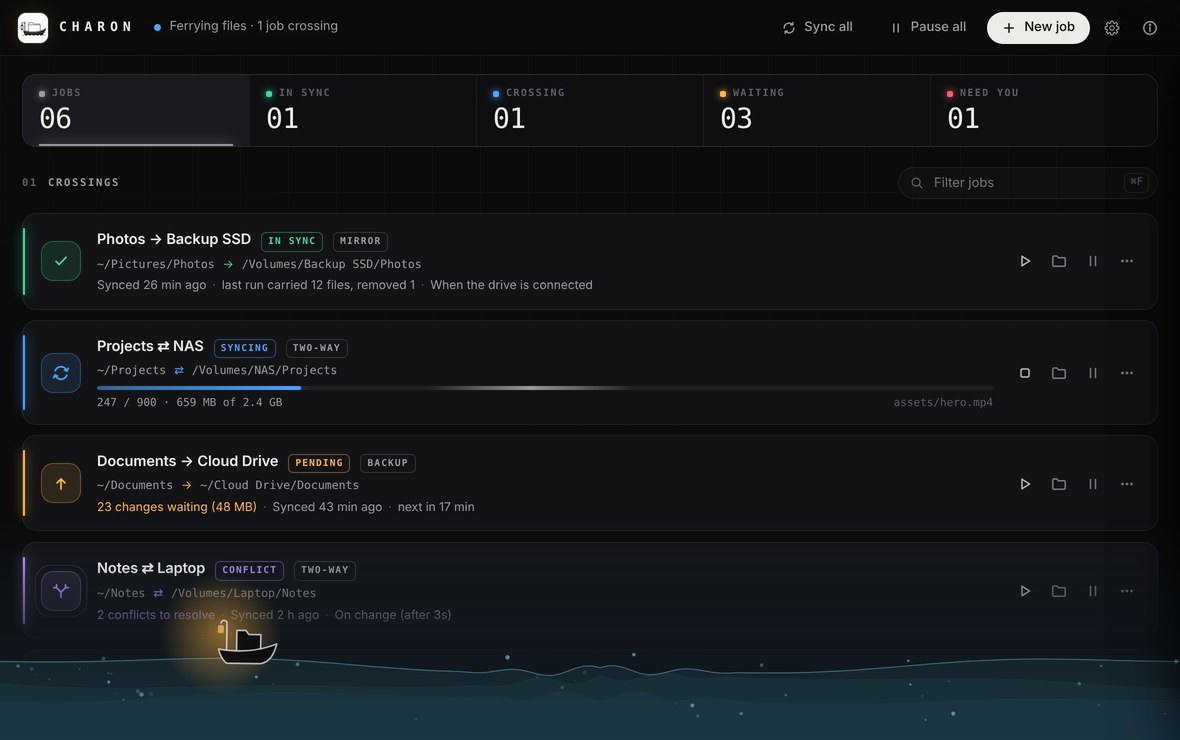
Charon is the ferryman for your files. Pair two folders or drives and it carries everything across: mirrored, backed up or both ways. By hand, the moment something changes, on a schedule, or as soon as you plug in the drive.
Free. No account, no cloud, no tracking.
Mirror, back up, or keep both sides in step.
Pick a mode and press Sync. This is exactly what Charon does with your folders.
~/Photos/Volumes/Backupnew changed removed · to the trash
It runs when you would have.
- A
By hand
Press Sync now. Nothing happens until you say so.
- B
On change
Charon watches the folder and syncs a few seconds after your edits settle.
- C
On a schedule
Every few minutes, every hour, or each night at three. A sleeping computer catches up when it wakes.
- D
When the drive arrives
Plug in your backup drive and it just syncs. No app to open, nothing to remember.
A preview of every crossing.
Before the first sync, and whenever you like, a dry run shows exactly what will be copied, replaced and removed. A wrong folder is caught before a single file moves.
- Safe deletes. Removed and overwritten files wait in a
.charon-trashfolder for 30 days. - No half-copied files. Each file takes its real name only once it's complete.
- Stops before disaster. If one side is suddenly empty, Charon refuses to wipe the other.
- Conflicts are never silent. Keep both, newest wins, or ask. An edit always beats a deletion.
Every job, its own colour and sign.
Colour and icon always go together, so they read for every pair of eyes.
- ✓In syncBoth folders match
- ↻SyncingFiles crossing now
- ↑PendingChanges waiting
- ❙❙PausedWaits for you
- ⑂ConflictYou decide
- !ErrorRead the log
- ⏻OfflineDrive not connected
Lives in the menu bar. Speaks up only when it matters.
- Menu bar & system tray
- The overall status, Sync all and Pause everything, without opening the window.
- Notifications that matter
- Errors, conflicts and big syncs. Small routine crossings stay silent.
- Exclude filters
.DS_Store,Thumbs.dband friends are left out by default. Addnode_modules,*.tmp, anything.- An activity log per job
- What each run copied, and which file failed and why.
- Launch at login
- Starts quietly and keeps working when the window is closed.
- Pause everything
- On a hotspot or presenting? One click and every job waits.
- I
Never delete a file without a way back.
- II
Never send your files anywhere but where you pointed.
- III
Never hide what will happen before it happens.
Download
The latest version. Free and open source.
-
macOS
macOS 11 or later.
-
Windows
Windows 10 and 11.
-
Linux
Any distribution, or a package.
The macOS version is signed and notarised by Apple. The Windows installers aren't signed yet: if SmartScreen asks, choose More info, then Run anyway. All versions and release notes
Build it yourself
Rust and Tauri, with a plain HTML, CSS and JavaScript interface. Bug reports, ideas and pull requests are welcome.
git clone https://github.com/digifix-ninja/charon
cd charon
cargo install tauri-cli --version "^2" --locked
cargo tauri build